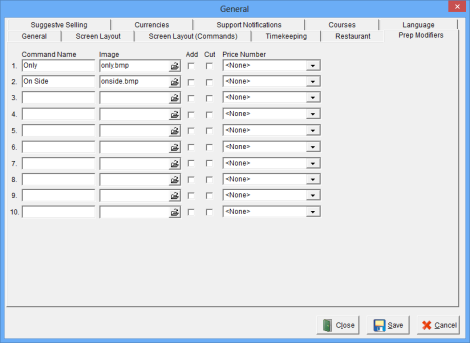
The Prep Modifiers Window is used to configure optional Commands to be used on Modifier Canvases in addition to or instead of the default ones. Up to 10 Prep Modifiers may be created.
See Video: Prep Mods
Accessing the Prep Modifier Window
While in Focus Setup, select Miscellaneous > General > General> Prep Modifiers.
Figure 10.28.1 Prep Modifiers Window
Figure 10.28.2 Prep Modifiers Window Fields
| Field |
Description |
| Command Name | The description for the Command Name, up to 10 alphanumeric characters. |
| Image | An image that represents the Command Name. |
| Add | Used in KVS (Kitchen Video Systems) to designate the color of the modifier. |
| Cut | Used in KVS (Kitchen Video Systems) to designate the color of the modifier. |
| Price Number |
The Price Number to apply to the Prep Modifier. (V 7.4 Build 13.7.1) |
Related Videos
Related Topics
Menu > Canvases > Prep Modifiers