Focus Enterprise   
Purpose
The Focus Enterprise program is the essential Corporate Software. The basic function of Focus Enterprise is to create and maintain restaurants, reports, downloads and user access. Access to Focus Enterprise is strictly controlled by Rights.
 
Focus Enterprise may be installed on any computer in the network as long as the computer has access to the data files.
 
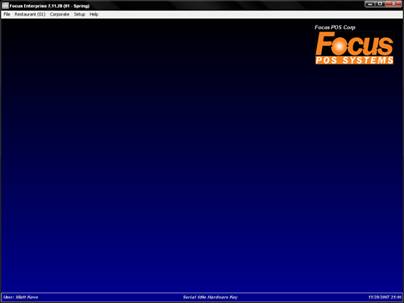
Focus Setup contains five pull down menus across the top of the workspace. Each menu consists of a window with a different, yet often related series or group of options and components.
 
The menus are File, Restaurant, Corporate, Setup and Help. Each menu brings up another menu or dialog box.
 

Figure a.1 Focus Enterprise Window


Demo Mode
Focus Enterprise allows the user to establish and maintain a maximum of 2 restaurants while in Demo Mode (used without a programmed software key).
 
Focus Communicator will not allow stores to poll while in Demo Mode.
 
Figure a.2  Focus Enterprise Window Menus

Menu

Description

File

Allows the user to log out of Focus Enterprise, select a default restaurant or quit Focus Enterprise.

Restaurant

Allows the user to view and/or configure an individual restaurant’s data for downloads etc.

Corporate

Allows the user to create downloads, create messages and view reports.

Setup

Allows the user to manage various properties that control Focus Enterprise.

Help

Displays information about Focus Enterprise including the number of restaurants currently in use and also a link to the online Focus Enterprise Manual.


Related Topics (none)


Copyright © 2007 Focus POS Systems