Downloads   
Purpose
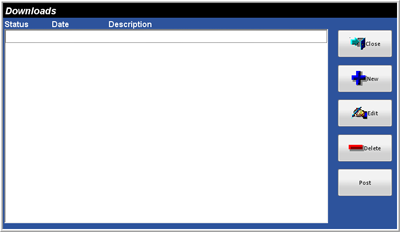
The Downloads Window is used to create a Download for selected restaurants. Multiple Downloads may be created for different Groups or Restaurants. A file is created for the Restaurant to download after the Download is Posted. Restaurants will receive the file the next time they poll.
 
Note: The Station that has the Focus Software Key at the restaurant level initiates the Download installation.
 
Accessing the File Menu
While in Focus Enterprise, select Corporate > Downloads.
 
Figure 3.2.1 Downloads Window
 
Figure 3.2.2 Downloads Window Fields
Field
Description
Close
Closes the Downloads Window.
New
Creates a New Download.
Edit
Edits the selected Download.
Delete
Deletes the selected Download.
Post
Posts the selected Download.


Related Topics (none)


Copyright © 2007 Focus POS Systems